
Furbo 360 Pro Review: Precision Dog Training Camera System
By Maya Chen • 2nd Jun
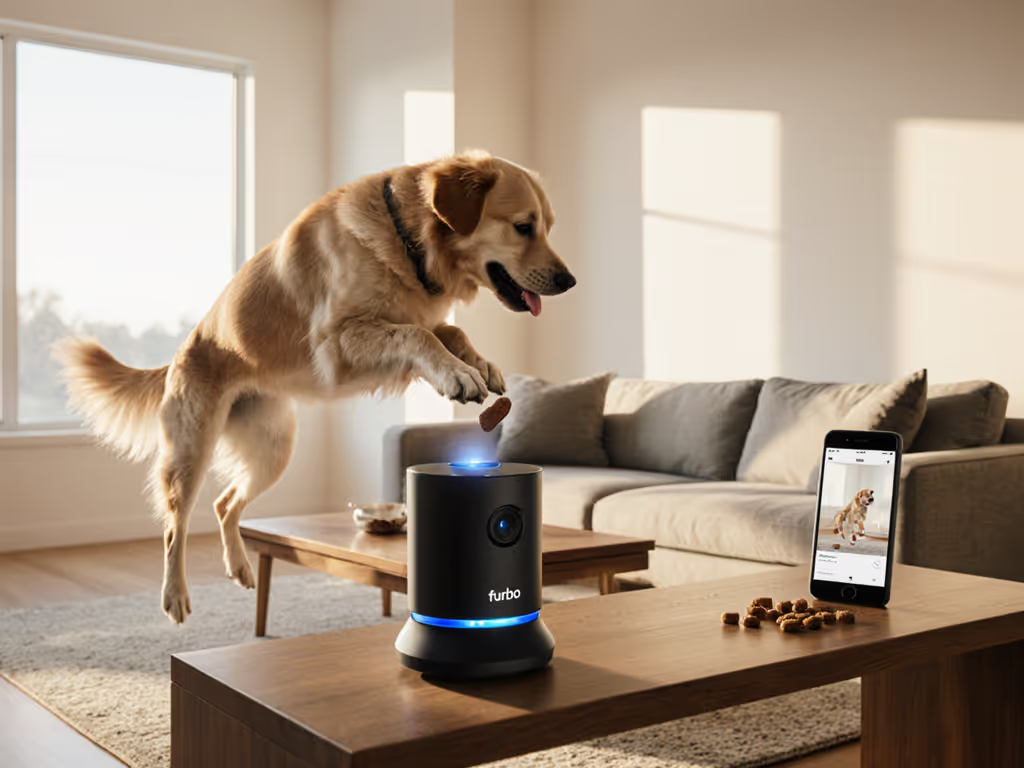
Furbo's latest rotating cam is one of the strongest options if you want a dog training camera system that can deliver food rewards remotely, but this Furbo 360 Pro review will also show where it shines (settling, home-alone skills, behavior monitoring) and where an in-person handler still beats any gadget. For deeper use-cases beyond monitoring, see our Furbo 360 remote training guide.
What is the Furbo 360 Pro, really?
Public reviews and spec sheets describe a Furbo 360 Dog Camera: a Wi-Fi pet cam with treat dispenser, two-way audio, barking alerts, and a rotating base that gives full-room coverage. For training purposes, you can think of the "Pro" setup as this hardware plus your training plan (using the camera as a remote training camera with structured, positive-reinforcement drills).
Key hardware features (based on the current Furbo 360 model):
-
Video & optics
-
1080p full HD resolution for clear monitoring of posture and small movements.
-
Wide-angle lens (around 160° diagonal) plus up to 4x digital zoom to check subtle body language like lip-licks or stress yawns.
-
Night vision (including color night vision in newer firmware) so you can observe overnight behavior.
-
360° coverage & tracking
-
Motorized base that pans roughly 270° combined with the wide lens to cover a full 360° around the unit.
-
Automatic pet-tracking mode that follows your dog as they move, keeping them centered in frame.
-
Audio and alerts
-
Two-way audio so you can speak to your dog and hear background sound.
-
Real-time barking alerts pushed to your phone, so you know when noise or arousal spikes while you're away.
-
Advanced treat tossing technology
-
Internal hopper and launcher that tosses small, dry treats several feet on command via the app.
-
Updated mechanism in the 360 model designed to toss more consistently than the original Furbo, with smoother operation and more predictable trajectories.
-
Works best with round, uniformly shaped treats; irregular or sticky treats can jam, so test before a long day away.
-
App and subscription
-
Core functions (live view, panning, night vision, two-way audio, treat tossing, barking alerts, and manual photo/video capture) are included without a paid plan.
-
Event-based recordings (clips saved when motion or certain behaviors occur) require the Furbo Dog Nanny subscription, priced around $6.99 per month or $69 per year after an introductory period.
-
The subscription also unlocks extra safety alerts beyond basic barking notifications (for example, certain activity or person-detection alerts, depending on region and firmware).
-
Price positioning
-
In North America, the Furbo 360 has been listed around $210 USD, sometimes offered at launch or promotional discounts down to roughly $149.
-
In other markets, such as Australia, recommended retail has been quoted around AU$359, with some retailers discounting slightly, so expect region-dependent pricing.
Fit first, then features, always powered by positive reinforcement.
When you treat Furbo as a dog training camera system instead of just a pet-sitter gadget, the rotation, treat tossing, and alerts become ingredients in structured cue-criteria-reward loops rather than random entertainment.
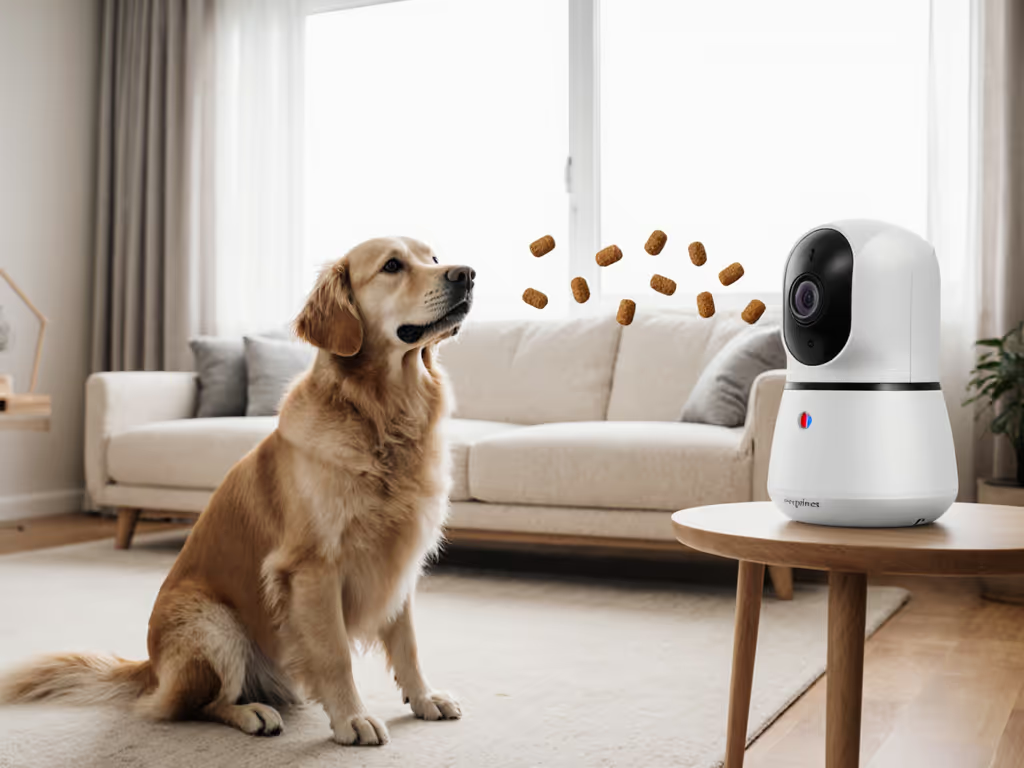
Is Furbo 360 Pro a good dog training camera system?
Where it excels for training
Used thoughtfully, Furbo's current 360 model can support precision reward timing in specific scenarios where your dog is alone or you are at a distance. If you plan to reward duration on a station, our dog training mat guide shows precise criteria and sizing.
It is particularly well suited for:
-
Home-alone skills and separation prep
-
You can observe your dog in real time, see exactly when they transition from pacing to lying down, and trigger treat tosses for quiet, relaxed postures.
-
Barking alerts act as an early-warning system so you can check the feed and adjust your training plan rather than discovering escalation after the fact.
-
Reinforcing settling and stationing
-
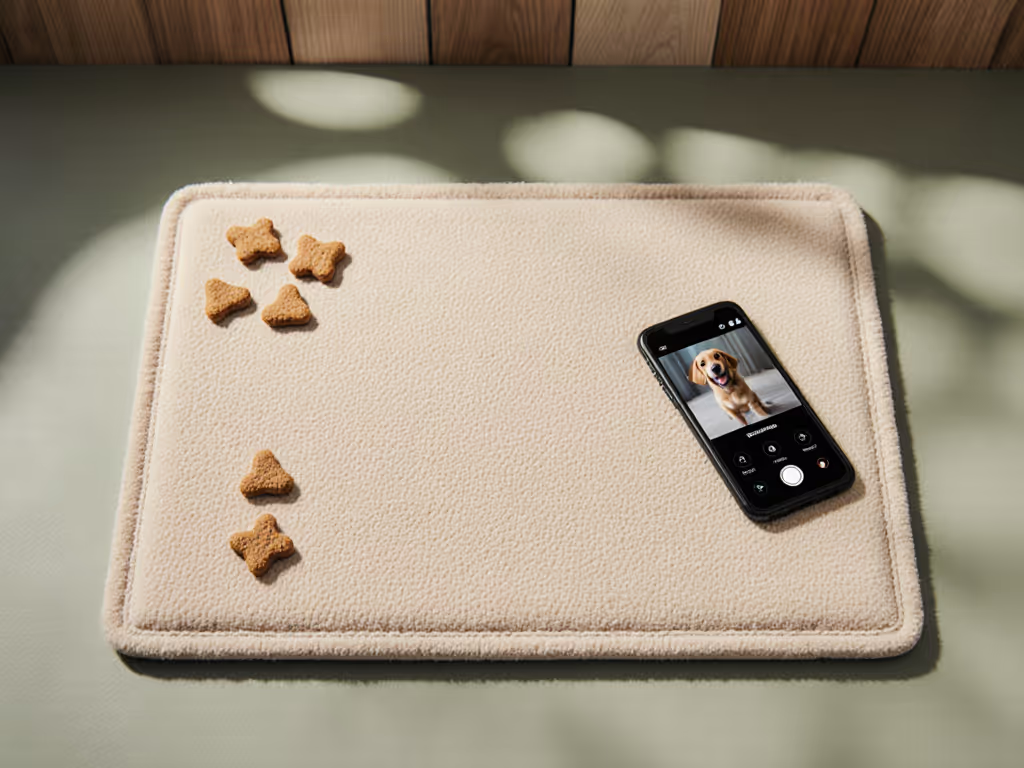
Placing the camera to view a mat or bed lets you reward duration on that station even while you're in another room, extending your dog's "cone of training" beyond your physical presence.
-
Auto-tracking helps keep your dog in frame when they get up and move, giving you data on how long they actually stayed before breaking.
-
Noise sensitivity and reactivity monitoring
-
When the barking alert fires, you can see what triggered it (delivery person, neighbors, household sounds) and shape a behavior modification plan that targets real triggers instead of guessing.
-
Recorded clips (with the subscription) create a mini data log of arousal spikes, helpful if you're working with a trainer or behavior consultant.
For these use cases, the camera acts as a remote training camera and reward station, letting you pair specific behaviors (quiet, lying down, moving away from the door) with food even when you're not standing next to your dog.
Where Furbo is not a magic fix
There are also clear limits:
-
Real-time precision vs. Wi-Fi delay
-
All remote systems introduce some delay: what you see on your phone happened a fraction of a second earlier, and treat tosses take a moment to fire after you tap.
-
For split-second behaviors like complex obedience chains or fast sport behaviors, an in-room handler or a wireless treat dispenser tied to a handheld remote is still more precise.
-
On-leash reactivity in public
-
The Furbo lives at home; it cannot deliver reinforcement out on sidewalks or trails where your dog most struggles with dogs, people, or cars.
-
It can, however, support decompression drills and home-base calm that make outdoor work easier (think of it as a home-field advantage, not a street-level solution).
-
Underlying anxiety or behavior disorders
-
A camera can reveal patterns of pacing, howling, or destructive behavior, but it cannot, by itself, resolve separation anxiety or severe phobias.
-
In such cases, work with a qualified professional who uses positive reinforcement to design a stepwise plan and then use Furbo to monitor and document progress.
A rainy weeknight where a reactive foster finally sighed, softened his eyes, and stayed settled at a crosswalk did not hinge on any flashy gadget; it hinged on calm, short decompression drills and rewards delivered where he felt safe. For real-world focus outside, follow our distraction training progression to build reliability step by step. A tool like Furbo simply makes it easier to replicate those wins inside your home (over and over) without you hovering.
How does Furbo 360 compare to other options?
Furbo 360 vs original Furbo (fixed camera)
Furbo's 360-degree model is the successor to the original fixed-lens Furbo, and multiple reviewers highlight concrete differences.
| Feature | Original Furbo Dog Camera | Furbo 360 Dog Camera ("Pro" setup) |
|---|---|---|
| Camera movement | Fixed, no pan/tilt | Motorized base with ~270° pan for full 360° coverage with lens |
| Field of view | Wide-angle lens | Similar wide-angle lens, but combined with rotation for room-wide coverage |
| Auto pet tracking | Not available | Automatic dog-tracking keeps your dog centered in view |
| Treat tossing | Original launcher | Improved treat tossing technology with smoother, more consistent throws |
| Night vision | Infrared night vision | Night vision with updated processing; color night vision available in newer model software |
| Typical price (US) | Lower, as older model | About $210 list, often discounted during promos |
From a training perspective:
- The rotating base and auto-tracking make the 360 model far better for behavior monitoring; you are less likely to lose sight of your dog when they move to a corner of the room.
- The more consistent treat tossing matters when you are reinforcing specific positions (like staying on a mat) because you can better predict where the treat will land and what movement pattern it will create.
Furbo 360 vs generic indoor cameras
Many standard indoor security cameras now offer HD video, two-way audio, and sometimes pan/tilt, but lack animal-specific features.
Key differences relevant to training:
-
Dog-specific alerts vs generic motion alerts
-
Furbo offers barking alerts calibrated around dog vocalizations, whereas generic cameras typically send generic motion or sound alerts triggered by any noise.
-
That means less noise in your notification stream and more behavior-relevant data.
-
Integrated treat tossing
-
The ability to send food remotely is the core of positive reinforcement training at a distance; most generic cams cannot do this at all.
-
Without food delivery, a camera is purely informational (you can watch your dog stress or react, but you cannot easily change their emotional state in the moment).
-
Software tuned for pets
-
Furbo's app and marketing are built around interacting with dogs (treat toss buttons, barking graphs, and dog-centered features).
-
For guardians who want a remote training camera, that dog-centric design lowers friction; less tapping through menus, more reps per minute.
If your primary goal is security, a generic pan-tilt cam may suffice. If your goal is Furbo Pro for behavior modification (using treats and timing to reshape behavior), then dog-specific design and advanced treat tossing technology are worth paying for. To pick dispenser-friendly rewards, use our dog training treats guide covering size, texture, and value tiers.
How to use Furbo 360 Pro for behavior change
This is where a dog training camera system either pays for itself or gathers dust. The aim is to convert features into time-boxed steps with clear criteria.
Setup: Fit first, then features
Before running any drills:
-
Placement
-
Position the camera at dog-head height or slightly above, aimed at a defined training zone (mat, bed, crate, or living-room area).
-
Avoid backlighting (windows directly behind the dog) so you can read subtle stress signals.
-
Acclimation
-
Let your dog investigate the unit when it is off; pair it with hand-delivered treats so the device predicts good things.
-
Turn sounds down initially; some dogs startle at the treat-toss noise, so gradually increase volume if needed.
-
Treat selection
-
Test treat size and shape to ensure smooth tossing before you leave your dog alone; you want a high-value, dry treat that does not jam the mechanism.
-
Reserve especially tasty treats for harder criteria (longer alone time, louder environmental noises) to keep your reinforcement gradient clear.
Fit first, then features: place the hardware for your dog's body and room layout, then layer in tech.
Drill 1: Calm-Alone Foundations (10 minutes)
Goal: Your dog learns that lying quietly in a defined zone when you leave the room makes food appear.
Structure (cue-criteria-reward):
- Stage 1 - You in view (3 minutes)
- Cue: Place a mat or bed in the camera's field of view and cue your dog to lie down.
- Criteria: 3-5 seconds of stillness (hips down, minimal fidgeting).
- Reward: Use the app to toss a treat toward the dog's chest, so they do not have to leave the mat.
- Stage 2 - Short out-of-sight reps (3 minutes)
- Cue: Step out of the room but stay just beyond the doorway, watching your phone.
- Criteria: Dog remains lying or sitting calmly for 5-10 seconds.
- Reward: Toss a treat; if you see early signs of restlessness, reward earlier to keep the rate of reinforcement high.
- Stage 3 - Building duration (4 minutes)
- Cue: Same as Stage 2, but you gradually stretch intervals up to 20-30 seconds.
- Criteria: No barking, whining, or frantic pacing; small position changes are fine if overall body language stays soft.
- Reward: Vary the number of treats per rep (sometimes 1, sometimes a small scatter) to build resilience.
Run this drill once or twice a day. When your dog can do 5 minutes of calm with you just outside the room, you can start leaving the apartment briefly and using Furbo to check if the criteria still hold.
Drill 2: Doorway and Delivery Prep
Goal: Reduce reaction to door knocks, deliveries, or hallway noise by reinforcing an incompatible behavior (going to a mat away from the door).
Prerequisites: Your dog has completed several sessions of Drill 1 and understands that the mat predicts treats.
- Stage 1 - Quiet door cues
- Set up the camera to view the mat and the area near the door.
- With your dog loose, give a very soft knock or gently jiggle the handle, then pause.
- Stage 2 - Criteria and reward
- Watch the camera: as soon as your dog orients away from the door (turns head, steps toward the mat, or offers eye contact), toss a treat onto or near the mat.
- Repeat 5-10 times, keeping knocks small enough that your dog can still think.
- Stage 3 - Increasing intensity
- Gradually increase knock volume or have a friend ring the bell while you are in a different room.
- Use barking alerts as a gauge; if they trigger repeatedly, lower intensity and build back up.
Over time, the sound of the door becomes a cue to move to the mat rather than rush or bark at the door. Furbo helps by giving you a remote button to pay that choice even when you're not standing in the doorway.
Drill 3: Bark-Then-Quiet Protocol
Goal: Use Furbo Pro for behavior modification by reinforcing quiet and recovery instead of accidentally rewarding barking.
- Differentiate noise vs. training moments
- Let the barking alert notify you that arousal has spiked.
- Do not toss a treat while your dog is mid-bark; wait for a brief pause or a visible de-escalation (head turn away, ears softening).
- Mark the quiet window
- As soon as there is a 1-2 second gap with closed mouth and looser body, toss a treat.
- Early sessions may require very small gaps; you can lengthen the required quiet duration as your dog understands the pattern.
- Pair with environmental changes
- If you see a specific trigger on camera (for example, a neighbor walking past), use that information to adjust management (close blinds, add white noise, or move the mat to a calmer room).
- Over multiple days, track how many alerts you receive during specific time windows to see if your plan is working.
This is the core of using a remote training camera humanely: you are not punishing barking through the speaker; you are feeding quiet and recovery while also improving the environment.
Is Furbo 360 Pro worth it, and for whom?
Who benefits most
Furbo 360 is a strong fit if you:
- Want data-driven insight into what your dog does when alone, including barking patterns and rest vs. pacing.
- Plan to use advanced treat tossing technology as part of structured, positive-reinforcement drills, not just as a party trick.
- Need a dog-specific system rather than a generic baby cam, with barking alerts and auto pet tracking that keep the focus on canine behavior.
It is especially helpful for:
- Guardians preparing puppies or new rescues to be home alone.
- Multi-dog households where it is hard to watch everyone without technology.
- Positive-methods trainers who want recorded clips to share with clients or to measure progress across weeks.
Trade-offs and limitations
On the other hand, Furbo 360 may be overkill if:
- You simply need to check whether a dog-walker arrived or whether lights were left on; a basic indoor camera could handle that.
- Your primary struggles are on-leash in public spaces, where no home device can deliver reinforcement.
- You do not plan to use the subscription features and do not need event-based recordings.
There are also practical considerations:
- The unit must sit where your dog cannot knock it over but still captures their main resting spots; this can be tricky in very small apartments.
- Some dogs are initially startled by the treat-toss noise; you may need a desensitization phase before leaving it active for long periods.
Actionable next step
If you decide Furbo 360 fits your goals as a dog training camera system, treat the first week as a structured training sprint, not a casual trial.
Here is a simple 7-day plan:
- Day 1-2: Acclimate your dog to the device (sniffing, treats around it) and test treat size and toss direction.
- Day 3-4: Run Drill 1 (Calm-Alone Foundations) for 10 minutes daily; log how long your dog can stay relaxed while you step out of sight.
- Day 5-6: Add short real absences (2-3 minutes out of the home), using the camera to confirm that behavior in your absence matches Drill 1 success.
- Day 7: Introduce either Drill 2 (doorway) or Drill 3 (bark-then-quiet), depending on your biggest pain point.
If you are not ready to invest yet, borrow the underlying principle: define one behavior goal (for example, a 3-minute mat settle while you leave the room), map your gear choice to that goal, and design time-boxed cue-criteria-reward drills to reach it. Gear should enable humane training reps your dog can win, and a tool like Furbo 360 Pro is most powerful when it is part of that larger, intentional plan. If alone-time distress is the core issue, pair your setup with our separation anxiety equipment protocol for humane, incremental absences.
Related Articles